01 / CONNECT
Make the connection.
Open Grabs in ZipZap. Copy your code and send it to @zipzapstickers on TikTok.
 ZipZap.
Get ZipZap
FROM TIKTOK TO YOUR WHATSAPP CHATS
Bring the TikTok stickers you love into your WhatsApp chats. Connect your TikTok account, send your favorites to ZipZap, and add them as a sticker pack on your iPhone.
Made for iPhone · Free to download · In-app purchases
FROM YOUR FEED TO YOUR FRIENDS
Give your favorite TikTok stickers a new home. A few simple steps, a lot more personality.
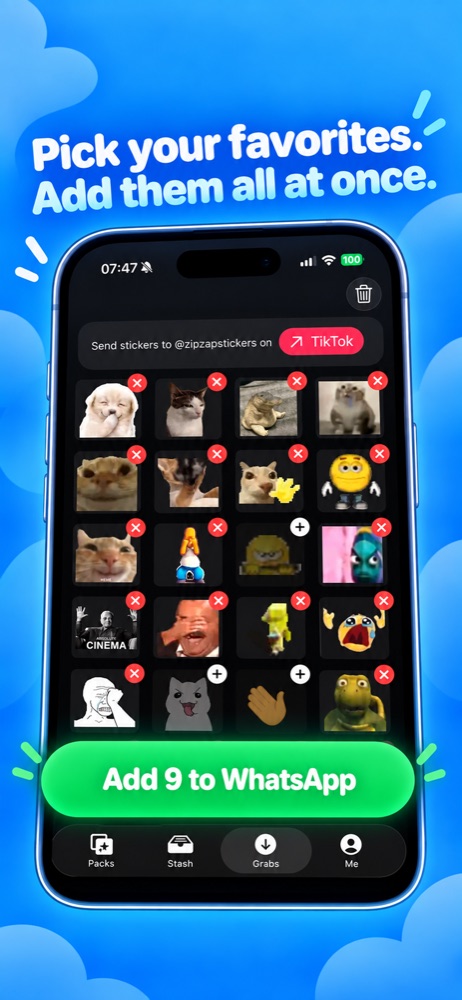
Open Grabs in ZipZap. Copy your code and send it to @zipzapstickers on TikTok.
Once your message is accepted, send the stickers you love. They’ll appear in Grabs, usually in a few minutes.
Pick your favorites, make a pack, and tap Add to WhatsApp. Your next perfect reaction is ready. Read the TikTok transfer guide.
ALSO IN ZIPZAP: ANIMATED PET STICKERS
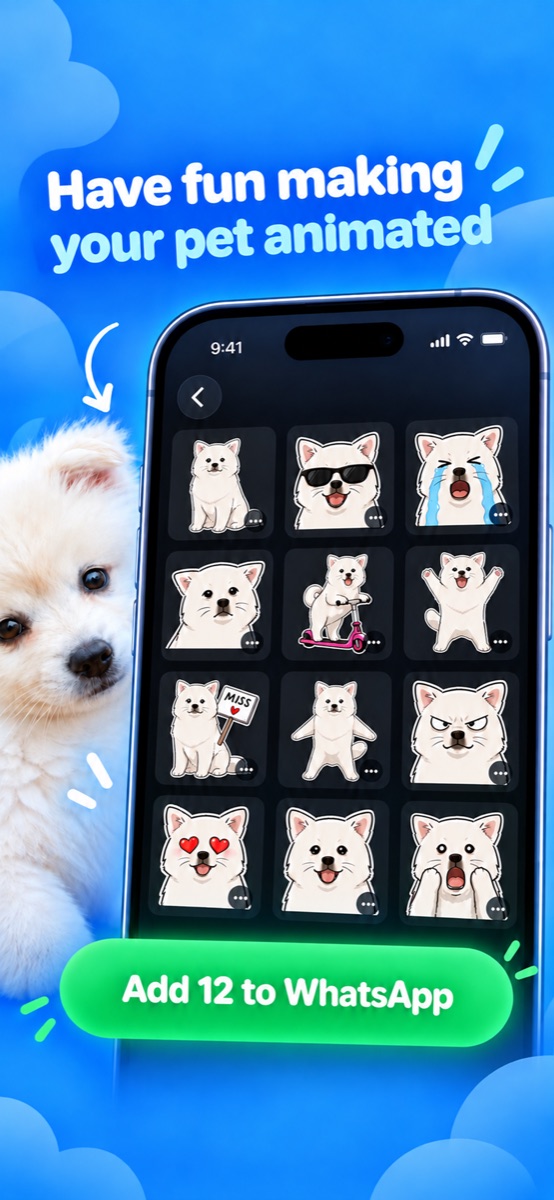
They already have a personality. Now they can have a sticker pack. Choose a pet photo, approve your AI-drawn character, and bring it to life with animated reactions for WhatsApp.
KEEP THE GOOD ONES CLOSE
The inside jokes. The dramatic reactions. The pet with the attitude. Stash keeps your saved packs together, ready to add to WhatsApp again. Explore saved sticker packs.
ZipZap is free to download and try, with limits on sticker transfers and pet sticker creation. An optional ZipZap Pro subscription unlocks more. You can see the current plans and prices in the app.
Open Grabs, copy your code, and send it to @zipzapstickers on TikTok. Once your message is accepted, send your stickers in that chat. They’ll appear in ZipZap, where you can select 3 to 30 stickers and add the pack to WhatsApp.
Yes! Choose a pet photo in Packs. ZipZap uses AI to draw your pet, then creates animated reactions you can add to WhatsApp. See how animated pet stickers work.
No email, phone number, or password is needed for ZipZap. To transfer TikTok stickers, you’ll link your TikTok account by sending the code from Grabs. Read our Privacy Policy for details about your data.
ZipZap is available for iPhone and exports sticker packs to WhatsApp. You’ll need WhatsApp installed to add and use your packs.
BRING YOUR TIKTOK REACTIONS WITH YOU
Free to download. In-app purchases available.